AKAI APC mini mk2 & MyStrow
O MyStrow foi concebido para trabalhar lado a lado com o AKAI APC mini mk2. Cada pad, cada fader, cada botão tem o seu mapeamento direto no software.
Transferir o MyStrow ↓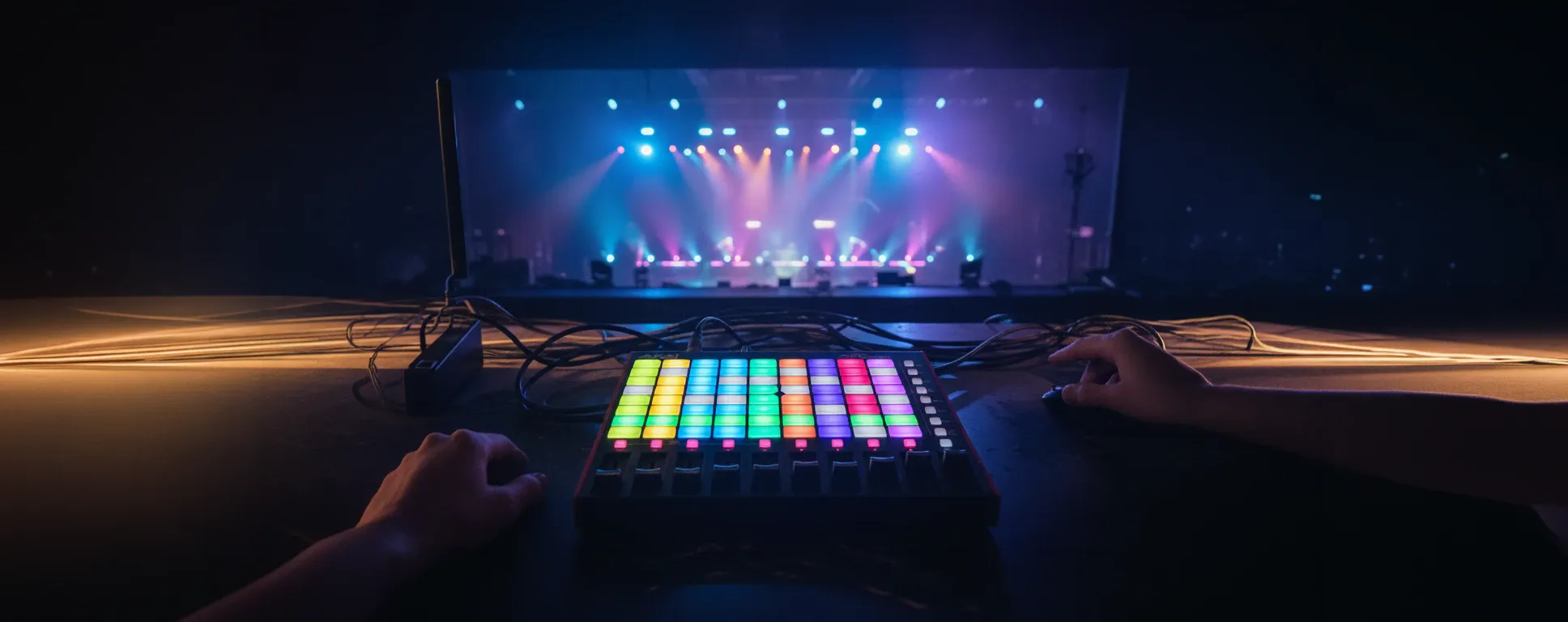
Integração nativa concebida para atuações ao vivo
A grelha de 8×8 pads está mapeada às cores das suas fixtures. Clique num pad para mudar a cor, mova os faders para a intensidade. Os botões FX à direita acionam chase, estroboscópio, arco-íris e muito mais.
Cada elemento do AKAI tem o seu papel
Pads LED multicolor
Os 64 pads da grelha de 8×8 estão mapeados, cada um, a uma cor, um efeito ou uma cena de luz predefinida. O seu feedback LED corresponde sempre ao estado de luz atual no palco. A navegação visual é imediata.
Faders de intensidade
Os 9 faders verticais controlam a intensidade de cada grupo de fixtures. O fader 9 (mais à direita) é o fader master. Os primeiros 8 correspondem aos grupos A a F e às zonas configuradas.
Botões Mute
Por baixo de cada fader existe um botão mute dedicado. Premir um botão mute corta instantaneamente a saída DMX do grupo correspondente, sem modificar os valores guardados. Ideal para blackouts rápidos durante um show.
Efeitos ao vivo
Os botões da coluna direita acionam efeitos instantâneos: flash (pulso de intensidade máxima), estroboscópio (intermitência rápida ajustável), chase (varrimento automático entre grupos). Estes efeitos não são destrutivos e não modificam o estado guardado das suas fixtures.
Tabela completa de mapeamento MIDI
| Elemento AKAI | Nota MIDI / CC | Função no MyStrow |
|---|---|---|
| Pads da grelha 8×8 (linhas 1–8) | Note On/Off · 0–63 | Seleção de cor ou cena de luz |
| Pads da coluna direita (8 botões) | Note On · 82–89 | Acionadores de efeitos flash, estroboscópio, chase |
| Faders 1–8 | CC · 48–55 | Intensidade do grupo de fixtures |
| Fader 9 (master) | CC · 56 | Intensidade master |
| Botões mute 1–8 | Note On · 100–107 | Silenciar/reativar grupos de fixtures |
| Feedback LED dos pads | Note On (saída) | Reflete as cores ativas das fixtures |
Também compatível com outras superfícies de controlo
O AKAI APC mini mk2 é a superfície de referência para o MyStrow, mas o software também funciona com rato e teclado através da interface gráfica.
O simulador AKAI integrado reproduz no ecrã a grelha de 8×8 pads e os 9 faders, permitindo-lhe preparar os seus shows sem um controlador ligado. Qualquer controlador MIDI padrão também é compatível através de remapeamento.
Outros métodos de controlo
- Simulador AKAI integrado (rato/ecrã tátil)
- Atalhos de teclado para ações rápidas
- Qualquer controlador MIDI padrão (remapeamento)
- StreamDeck / Elgato (atalhos atribuíveis)
- Interface tátil em tablet ou ecrã tátil
- Controlo programático através da linha do tempo e sequências
Ligue o AKAI APC mini mk2 em 3 passos
Ligue o controlador
Ligue o AKAI APC mini mk2 ao seu computador via USB. Sem controladores a instalar no Windows 10/11 ou macOS 11+: o controlador é automaticamente reconhecido como um dispositivo MIDI padrão.
Inicie o MyStrow
Inicie o MyStrow. O software deteta automaticamente o AKAI APC mini mk2 no arranque e ativa a interface MIDI. Os pads acendem-se de acordo com o estado atual do seu programa de luz.
Toque
Prima um pad para mudar as cores das suas fixtures, mova um fader para ajustar a intensidade, use os botões do lado direito para acionar os seus efeitos. A configuração é imediata, mesmo sem formação prévia.
Zero configuração
O mapeamento MIDI está totalmente pré-configurado para o AKAI APC mini mk2. Não é necessário criar cenas MIDI, configurar canais ou programar macros. Está tudo pronto a usar desde a primeira ligação.
Transfira o MyStrow e ilumine o seu palco
Instale o MyStrow, ligue o seu AKAI APC mini mk2 e assuma o controlo das suas fixtures em menos de 5 minutos.
Transferir o MyStrow ↓Descubra todas as funcionalidades
⚡ Software de iluminação DMX
Controlo DMX completo a partir do seu PC. Protocolo Art-Net, 25 fps, suporte multi-fixture.
✨ Iluminação com IA
A IA assume o controlo de todo o palco, reativa à música em tempo real.
🎬 Programação de luzes
Timeline visual, keyframes, clips editáveis. Componha os seus espetáculos antecipadamente.
🎵 Leitor de Áudio & Vídeo
Playlist e projeções geridas a partir da mesma interface. Tudo num só lugar.
🗺️ Plano de palco interativo
Visualize e controle os seus grupos de projetores com um clique ou fader.